 SIFCEXPORT - Representations
SIFCEXPORT - Representations
SIFCEXPORT - RepresentationsWhen using the SIFCEXPORT command to have SOLIDOS draw the device in the IFC file, you must decide how to represent certain elements.
There are two ways to represent solid elements in IFC using the SOLIDOS program:
 Expose Solid is marked to use BREP
Expose Solid is marked to not use BREP
Expose Solid is marked to use BREP
Expose Solid is marked to not use BREP
SOLIDOS actually generated the crossed-out items, but since viewers cannot render them, it converts them to IfcExtrudedAreaSolid, IfcRevolvedAreaSolid, and IfcBooleanResult.
When solid geometry is triangulated (i.e., BREP representation), one must configure whether the face triangulation will be high-precision—generating a huge file—or low-precision—generating smaller files. This directly impacts the quality of the IFC file and the processing time required.
Control over this triangulation is handled by the device's modeler, specifically within the
Expose Solid tool, under the IFC category parameters:
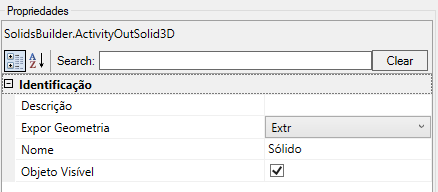
The default values ??for these properties are zero. Generally yields good results
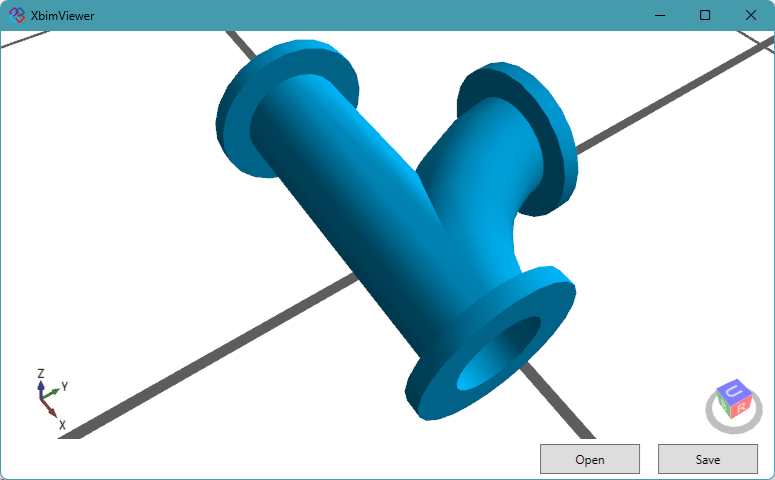
For the device shown below, the triangulated version with default parameters (all set to zero) was 115 KB, whereas the optimized version was 6 KB—representing a nearly twentyfold increase in file size:
See Also:
Export Solid SBUILDER
SIFCEXPORT
SBUILDER
SIFCEXPORT