 SIFCEXPORT - Viewers
SIFCEXPORT - Viewers
SIFCEXPORT - ViewersWhen using the SIFCEXPORT command to generate an IFC file from SOLIDOS, you must decide how to draw certain elements based on the limitations of the IFC viewer that will be used.
Consider this SOLIDOS model:
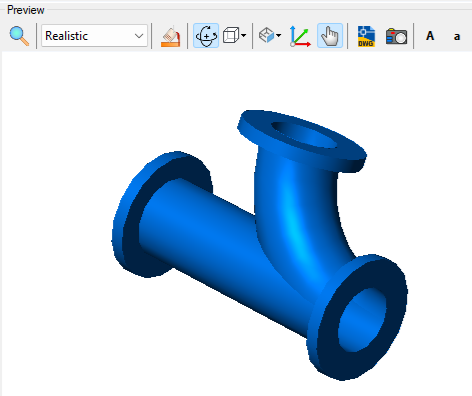
It is a directional "T" junction. If we look at the geometries used to model it, we see extruded and revolved circles
When exporting this model to IFC—using the parametric geometry characteristic of SOLIDOS modeling—the IFC viewer may distort the model:
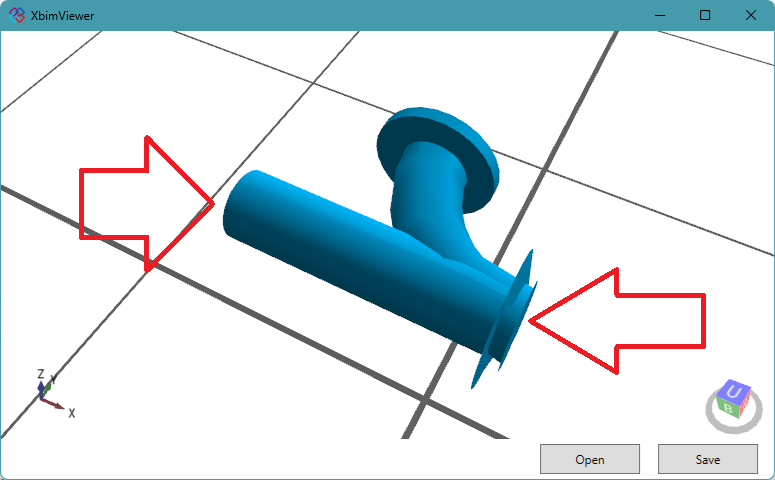
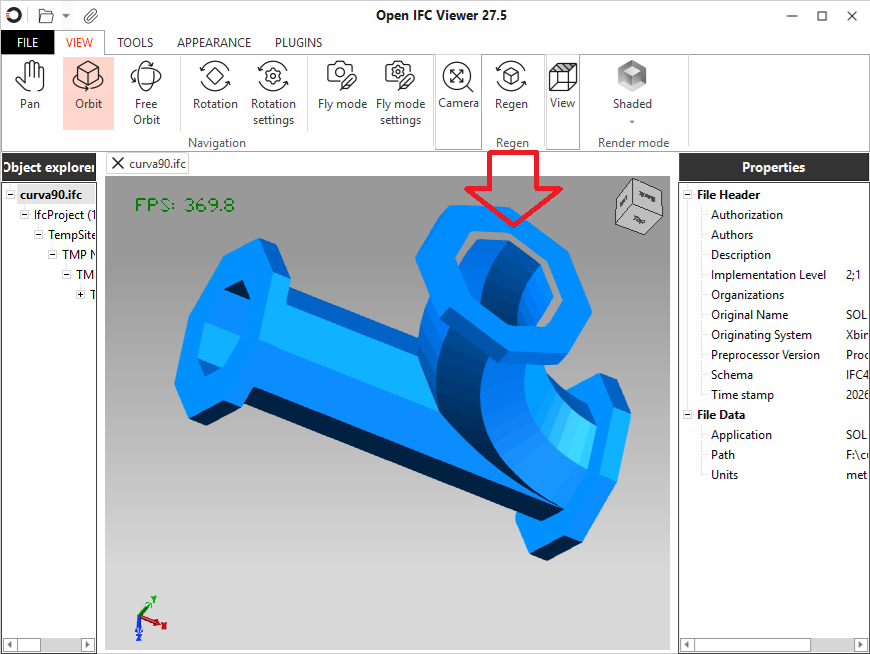
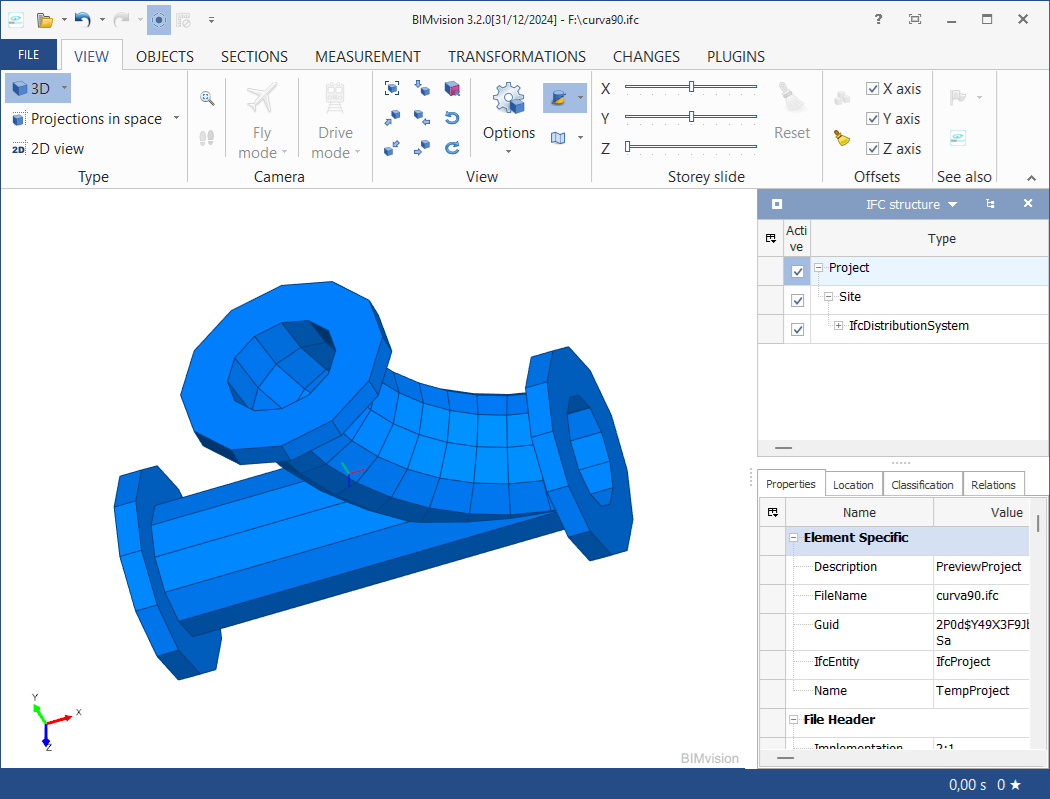
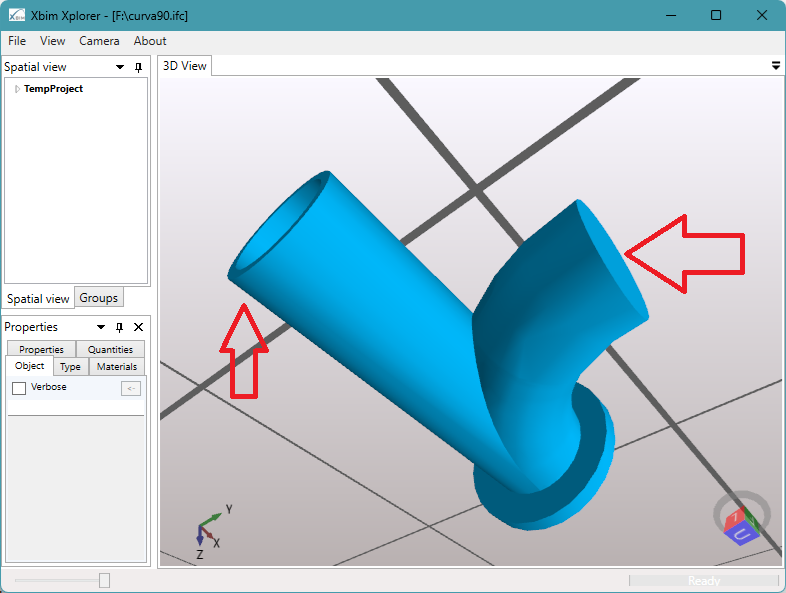
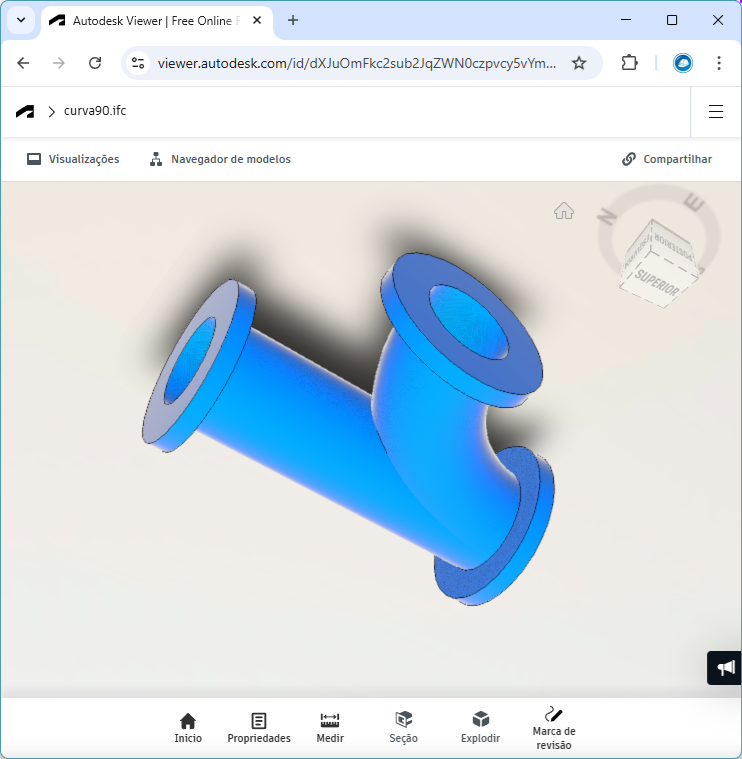
Viewers (XBIM Explorer, IFC Viewer) that use OpenCascade are affected by this API's limitations, at least in the versions mentioned above.
To mitigate this issue, choose to export solids using triangulation (in the SIFCEXPORT command dialog, set the Object/Use Brep option to YES); this is the method used by Civil 3D's native IFCEXPORT command and the new Civil 3D extension for IFC 4x3 generation.
In this scenario, the file size may increase significantly, and the export process may become considerably slower.
See Also: