 SOLIDOS Modeler - Edge SOLIDOS Modeler - Edge
 Edge - Extracts the edge of a solid near a specified point:
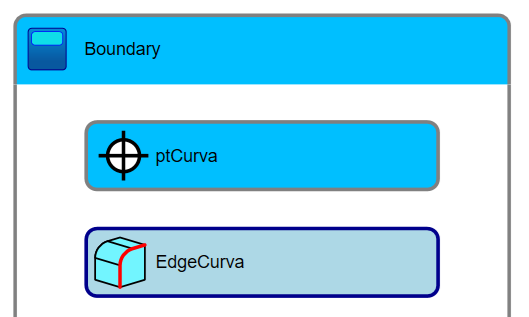
Usage example: To obtain an edge on a solid, use the Edge activity and specify the reference point. The activity will return a curve representing the solid's edge at that point:
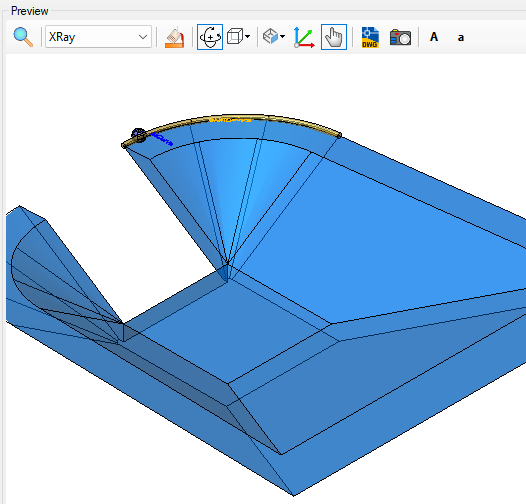
This is useful for processing the edge for the SEXTRACTBOUNDARIES command using the Boundaries extra flow or for the extra flow that applies a hatch to the device. In the example above, the device is a "Dissipator for Buried Culvert Inlet (DER-SP)." Its geometry can make calculating the hatch boundary somewhat difficult. This tool simplifies the process significantly, as you simply specify the reference point, and the Edge activity returns the edge curve.
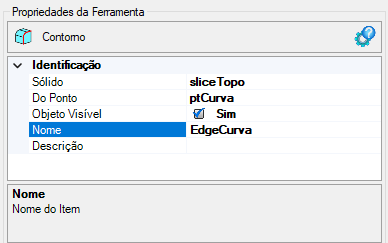
The Edge activity has the following properties:
If the text appears too large/small, or the sphere representing the point appears too large or small, use the buttons (A, a,
 ,
,
 ) at the top of the screen to adjust the preview
Properties (for use in VB expressions)
implements the properties of curves
Methods (for use in VB expressions)
implements the methods of curves