 SWMM - Links SWMM - Links
Links are the transport components of a drainage system and always run between a pair of nodes. Link types include:
 Conduits - are pipes or channels that move water from one node to another in the transport system
 Pumps - links used to raise water to higher altitudes
 Orifices - Used to model outlet and diversion structures in drainage systems that are typically openings in the wall of a manhole, storage facility or control gate
 Weirs - like orifices, are used to model outlet and diversion structures in a drainage system
 Outlets - are flow control devices that are typically used to control outflows from storage units
SWMM links share the following properties:
 Note: The TAG property can be used to store information referring to the typical section of the
device, useful when importing an INP file into SOLIDOS using the command
Note: The TAG property can be used to store information referring to the typical section of the
device, useful when importing an INP file into SOLIDOS using the command  SWMMIMPORT
Note: For SWMM to recognize a SOLIDOS device as a link, this must have in the definition of your  Constructor, the tool corresponding to the type of link, for example the model below, implements
a circular concrete pipe, which is recognized as
conduit:
Constructor, the tool corresponding to the type of link, for example the model below, implements
a circular concrete pipe, which is recognized as
conduit:

Note the penultimate item. It is he who will define the device as a conduit for the SWMM. Also note that the conduit properties that depend on the geometry/location of the device
are defined in the properties of the
Conduit Activity:

In addition, the Drainage Network that will be calculated using the SWMM engine must also be enabled. In the network properties, note:
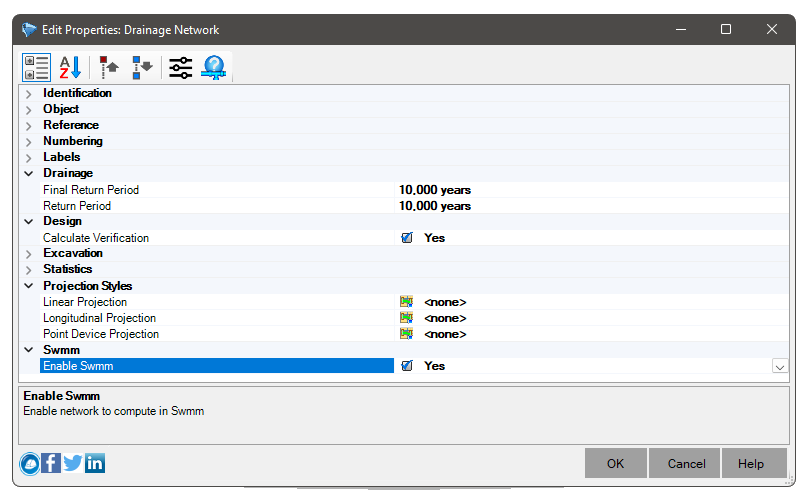
This is required as it is not mandatory to use SWMM. Thus, if the above option is turned off, the SWMM properties are not "left over" on the devices