 Polyline - creates a polyline that passes through the list of
  points provided:
 Polyline - creates a polyline that passes through the list of points provided:
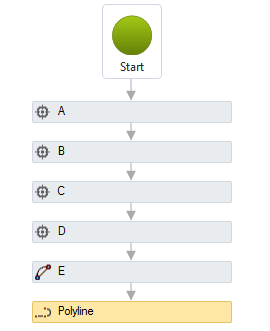
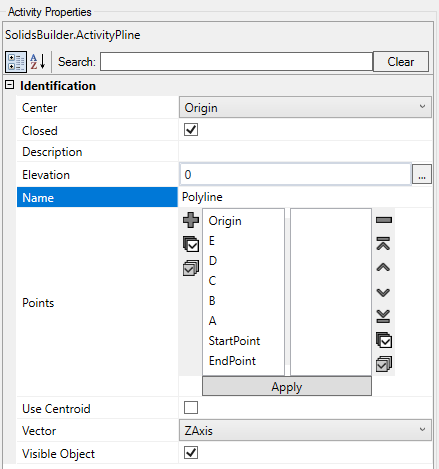
The Polyline activity has the following properties:
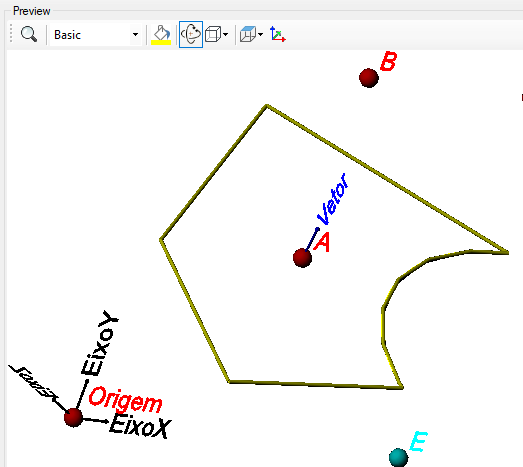
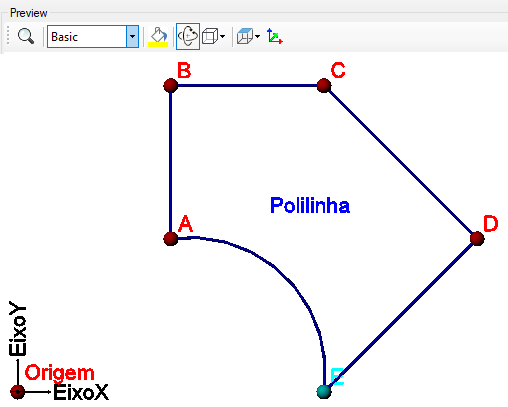
 Point / Bulge.
In the example above, the point "E" is of this type and has a convexity equal to 0.5
Point / Bulge.
In the example above, the point "E" is of this type and has a convexity equal to 0.5The polyline is the first type of complex curve and requires a point list editor. This editor has a series of buttons:

They are as follows:
 Move to Start - move selected items to the beginning of the list
 Up - move up selected items in a position
 Down - down selected items in a position
 bottom - move selected items to the bottom of the list
 add - add the selected items in the left list (points available) to the right list (points used)
 Remove - removes selected items from the list on the right (points used)
 Select all - select all items
 Invert Selection - invert selection from list
If the text is too big/small, or the sphere representing the point is too big or small, use the buttons ( A, a,  ,
,  ) at the top of the screen to change the preview
Properties (for use in VB expressions)
implements the curves properties and:
 vector) point)
Methods (for use in VB expressions)
implements the curves methods