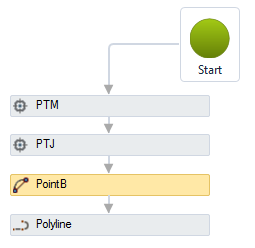
 Point/Bulge - creates a point with the BULGE (Convexity) property, which is used to generate the arc segment of polylines:
 Point/Bulge - creates a point with the BULGE (Convexity) property, which is used to generate the arc segment of polylines:
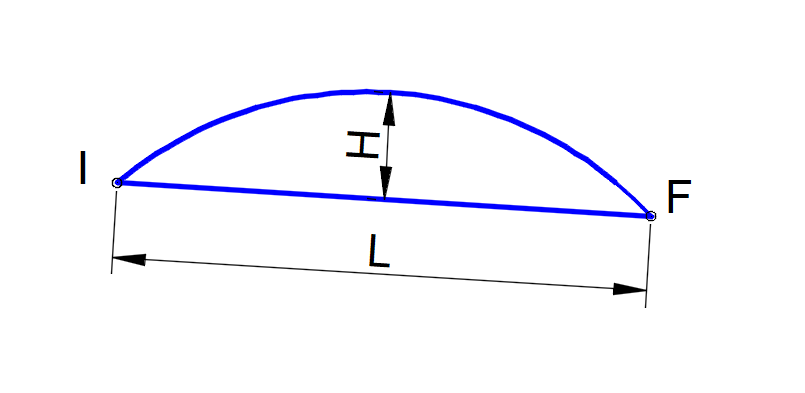
Convexity is a property used in polylines to define the arc. It is given by:
Onde:
L is the length of the chord
H is the height of the arc sector
When the Sign of the bulge is positive, the arc is drawn to the right of the line (I - F) and when it is negative, to the left. In the image below, the polyline starts at PointB and ends at PTM, with the value ofPointB convexity is 0.5, creating an arc between PointB and PTJ points. The convexity of the PTJ point is equal to ZERO, so a line segment between the PTJ and PTM points is drawn:
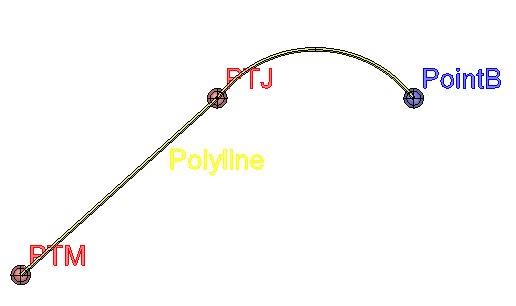
It is easy to see that when the convexity is 1, the arc is a semi - circle. For ZERO convexity, the arc would have an infinite radius, so it is a straight line.
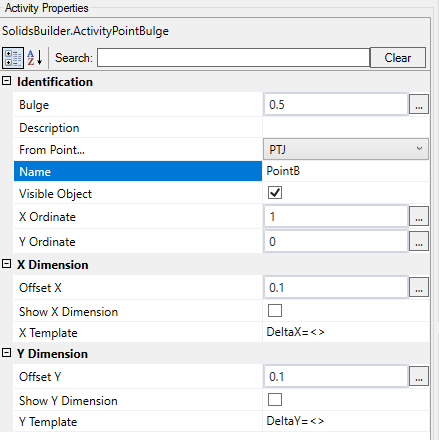
The Point/Bulge activity has the following properties:
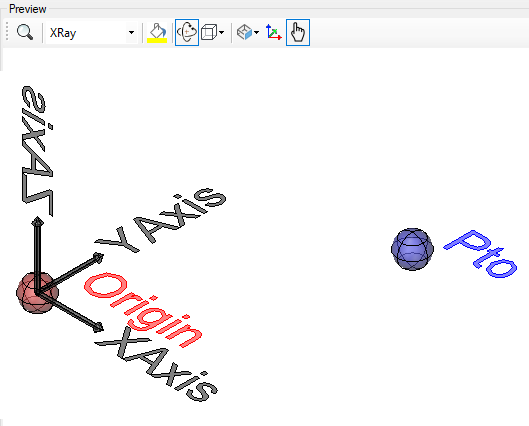
If the text is too big/small, or the sphere representing the point is too big or small, use the buttons ( A, a,  ,
,  ) at the top of the screen to change the preview