SOLIDS Modeler - Fillet Edge
 Fillet Edge - rounds an edge of a selected solid based on a user-defined radius of curvature.
The edge to be rounded can be specified by its index or selected as the one closest to a given point.
The fillet is applied to the selected edge, creating a smooth transition between the solid's adjacent surfaces.
Fillet Edge - rounds an edge of a selected solid based on a user-defined radius of curvature.
The edge to be rounded can be specified by its index or selected as the one closest to a given point.
The fillet is applied to the selected edge, creating a smooth transition between the solid's adjacent surfaces.
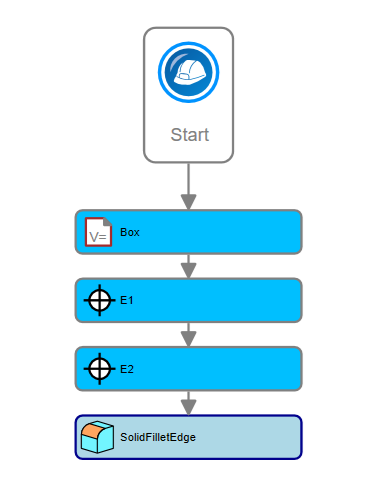
The Fillet Edge activity is commonly used to facilitate the design of solids with rounded corners.
Consider the image below. We want to fillet the edges marked at points E1 and E2:
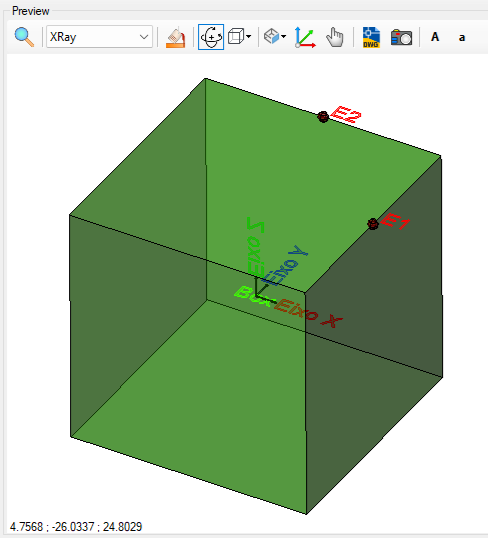
The result will be
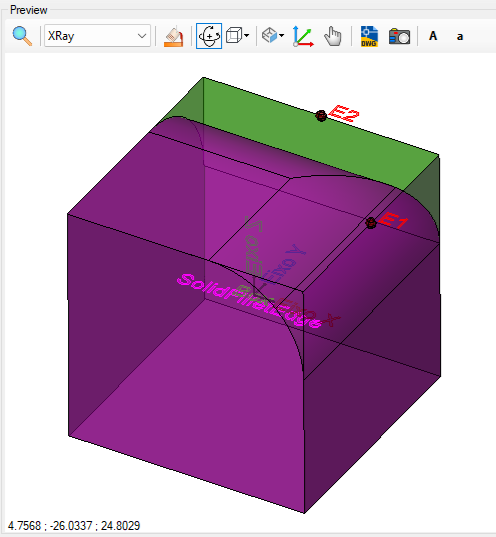
The Fillet Edge activity has the following properties:
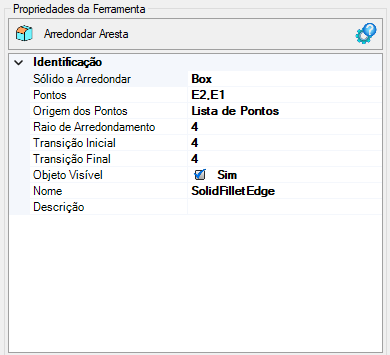
- Identification
- Name (Name, String) - name of the activity
The name must follow the naming rules
- Solid to Fillet - name of the solid whose edge is to be filleted
- Points Origin - Indicates the point data source, it can be:
- Variable - indicates that the point list comes from a variable or property
which will come from the Property Creation frame:

Note, this list of points comes from the axis assigned to longitudinal devices.
The points that may appear in the table above will only be used to generate the model
- List of points - the user must build a list of points
To edit, click the button ( ) that appears in this field, or select this property in the properties box. It will be open or geometry list editor
- Rounding Radius - The rounding radius of the edge
- Start Transition - Controls the transition at the edge's start point
- End Transition - Controls the transition at the edge's end point
- Visible Object - Indicates whether or not the point should be drawn in the preview
If the text appears too large/small, or the sphere representing the point appears too large or small, use the buttons (A, a,
 ,
,
 ) at the top of the screen to adjust the preview