Solids Builder - Circle
 Circle - creates a circle given
  center,
  normal vector and radius:
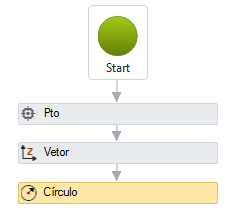
The Circle activity has the following properties:

- Identification
- Name - circle name
The name of the circle must follow the naming rules
- Center - name of the point Where: the center of the circle is
- Vector - name of the vector normal to the plane of the circle
- Radius - a VB expression to evaluate the radius value
- Visible Object - indicates whether or not the point should be drawn in the preview

- Radius Dimension
- Dimension angle - angle to the X axis at which the radius dimension is drawn
- Show Radius Dimension - indicates whether to draw a dimension in the radius of the circle
- Radius Template - a text template that provides the dimension
Use <> for the dimension(Example: Radius = <>)
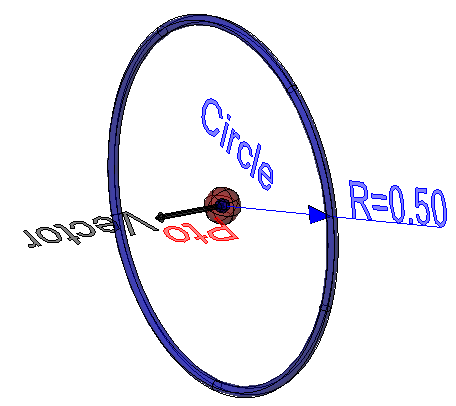
If the text is too big/small, or the sphere representing the point is too big or small, use the buttons ( A, a,  ,
,  ) at the top of the screen to change the preview
Properties (para usar nas expressões VB)
Implements the properties of curves plus:
- area - circle area (real number)
- Radius - circle radius (real number)
- Vector - normal circle vector ( vector)
- Center - circle center ( point)
Methods (for use in VB expressions)
Implements the methods of curves