Solids Builder - 3D arc
 3D arc - creates a 3d arc with
  center, radius and convexity, making elevation transition between the beginning it's the end:
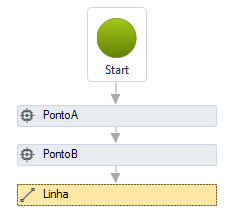
3D arc is used to model pipes that have a certain curvature in plan:
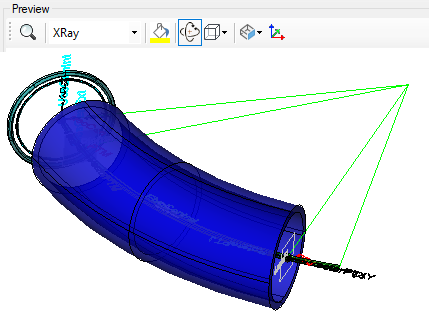
Obviously this curvature is small, but it avoids the need to create several connection boxes, or even manholes to change the direction in the network.
The arco 3D activity has the following properties:
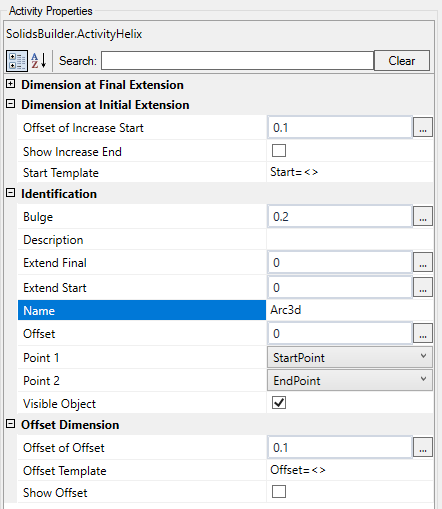
- Identification
- Name - 3d arc name
The name of the 3d arc must follow the naming rules
- Point 1 - name of the starting point of the line
- Point 2 - name of the ending point of the line
- Increase Start - a VB expression that stretches the beginning of the line:

- Increase End - a VB expression that stretches the ending of the line:
- Offset - a VB expression distances the line from the axis formed by the informed points of a offset in the XY plane

- Visible Object - indicates whether or not the point should be drawn in the preview
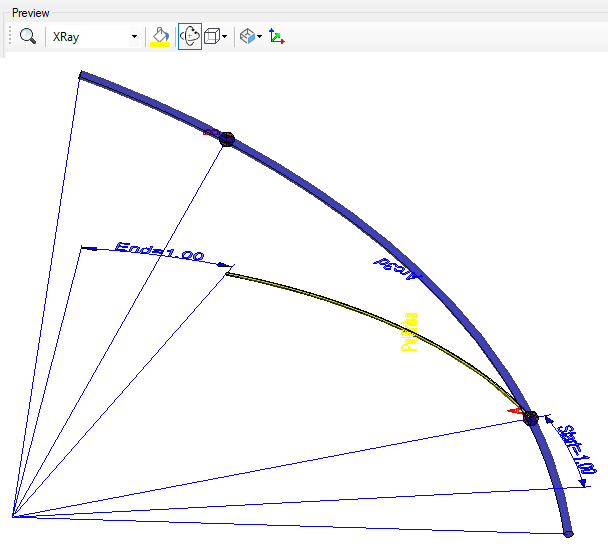
- Offset Dimension
- Offset Distance - distance of the dimension line in relation to the points that form it
- Show Offset Dimension - indicates whether to draw a dimension on the offset
- Offset Template - a text template that provides the dimension
Use <> for the dimension(Example: Offset = <>)
- Increase Start Dimension
- Increase Start Offset - distance of the dimension line in relation to the points that form it
- Show Increase Start Dimension - indicates whether to draw a dimension on the increase start
- Increase Start Template - a text template that provides the dimension
Use <> for the dimension(Example: Start = <>)
- Increase End Dimension
- Increase End Offset - distance of the dimension line in relation to the points that form it
- Show Increase End Dimension - indicates whether to draw a dimension on the increase end
- Increase End Template - a text template that provides the dimension
Use <> for the dimension(Example: End = <>)
If the text is too big/small, or the sphere representing the point is too big or small, use the buttons ( A, a,  ,
,  ) at the top of the screen to change the preview
Properties (for use in VB expressions)
implements the curves properties, and:
- Radius - raio do arco (número real)
- Bulge - convexidade do arco (número real)
- Center - centro do arco ( ponto)
Methods (to use in VB expressions)
implements the curves methods