Solids Builder - Connector
 Connector - creates a point given the X, Y and Z ordinates, which can be read by OSNaP NODE:
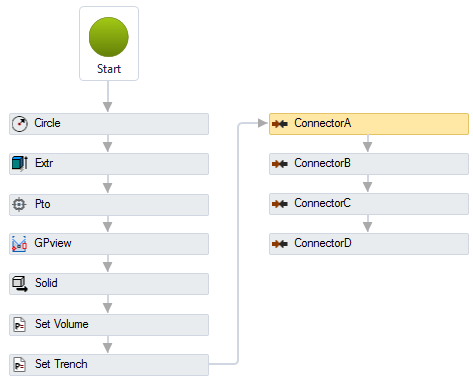
The Connector activity has the following properties:
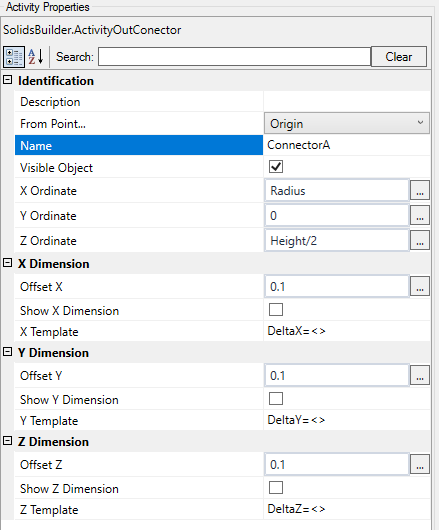
- Identification
- Name - point name
The point name must follow the naming rules
- From Point - when you want to draw points with X, Y, Z relative to another point, choose it from the list
When the point is Origin, X, Y and Z are considered absolute values
- Visible Object - indicates whether or not the point should be drawn in the preview
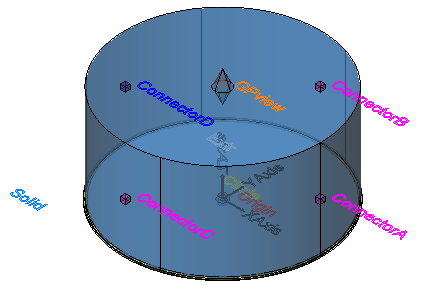
- Direction - a vector indicating the direction of the connector, or the vector normal to the plane on which other devices will connect
For example, when a pipe is connected to the manhole, it does not necessarily do so orthogonally, in this case, it may be necessary to "cut" the end of the pipe so that it fits better in the structure.
In this case, use this property to calculate the cut angle
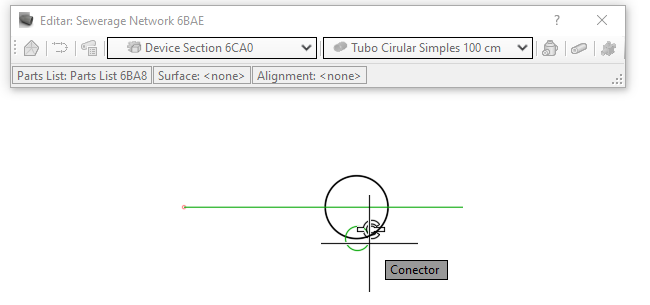
Below, an example of using OSNaP NODE in the created solid:

When the network is being launched, when approaching the insertion point of the structure to the start or end point of the pipe, the program shows that it can connect:
If the text is too big/small, or the sphere representing the point is too big or small, use the buttons( A, a,  ,
,  ) at the top of the screen to change the preview