Solids Builder - Point (Distance/angle)
 Point (Distance/angle) - creates a point relative to another, given a distance in the XY plane, an angle also in the XY plane and a relative elevation Z:

The Point (Distance/angle) activity has the following properties:
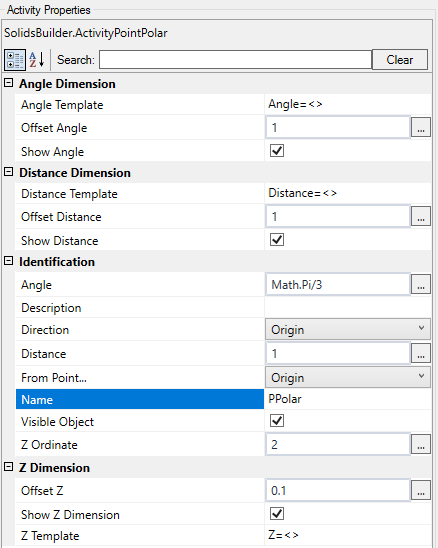
- Identification
- Name - point name
The point name must follow the naming rules
- From Point - when you want to draw points with X, Y, Z relative to another point, choose it from the list
When the point is Origin, X, Y and Z are considered absolute values
- Visible Object - indicates whether or not the point should be drawn in the preview
- Distance - a VB expression that evaluates the horizontal distance (XY plane) of the point from the point of origin
- angle - a VB expression that calculates an angle in relation to the informed directional vector, counterclockwise and given in radians
In the example, Math.PI / 2 is 90 degrees.
- Z Ordinate - a numeric value or a VB expression for the Z ordinate, relative to the point of origin
- Direction - a third
 GeometryPoint that indicates the axis from which to measure the provided angle
Inform None if the angle is in relation to the X axis
- angle Dimension
- angle Offset - VB expression that distances the dimension line from the position of the point of origin
- Show angle Dimension - indicates whether to draw the angle dimension
- angle Template - a text template that provides the dimension
Use <> for the dimension(Example: angle = <>)
- Distance Dimension
- Distance Offset - VB expression distance from the dimension line to the line connecting the origin to the point
- Show X Dimension - indicates whether to draw a dimension on the X axis between the origin point and the point itself
- X Template - a text template that provides the dimension
Use <> for the dimension(Example: Delta X = <>)
- Z Dimension
- Z Offset - VB expression how far the dimension line from the point's position in the X direction
- Show Z Dimension - indicates whether to draw a dimension on the Z axis between the origin point and the point itself
- X Template - a text template that provides the dimension
Use <> for the dimension(Example: Delta Z = <>)
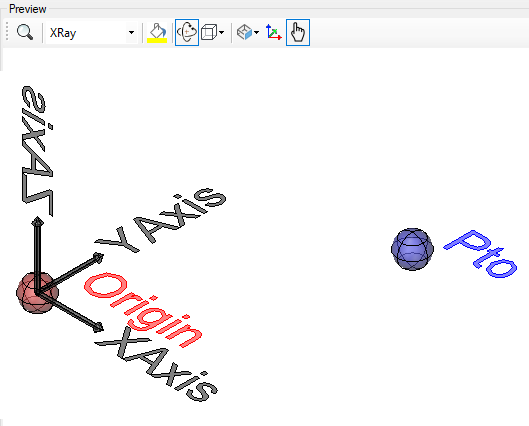
Below, an example of what the dimensions look like:

Note, these dimensions only appear in the preview of the model and then it will be possible to show or not on the preview screens of the device section
If the text is too big/small, or the sphere representing the point is too big or small, use the buttons ( A, a,  ,
,  ) at the top of the screen to change the preview