Solids Builder - Point On Curve
 Point On Curve - calculates a point on a Curve:
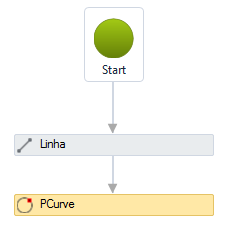
The Point on Curve activity has the following properties:
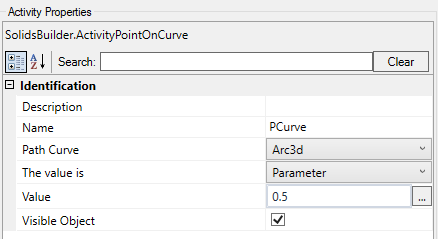
- Identification
- Name - point name
The point name must follow the naming rules
- Path Entity - Indicates which curve will be used to calculate the point
- Visible Object - indicates whether or not the point should be drawn in the preview
- The Value is - indicates what type of value is provided to calculate the point, it can be:
- Distance - 3D distance on the line from the start of the line.
In the example above, I used a VB expression:
Line.
Length / 2
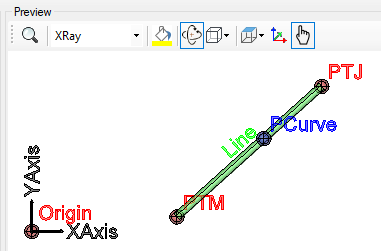
- Parameter - is a number, whose entire part refers to the vertex number and the fractional part refers to the percentage of the segment subsequent to this vertex
in a polyline, parameter 1.55 would be in the second segment (the first segment has a ZERO index), counting 55% of the length of this segment: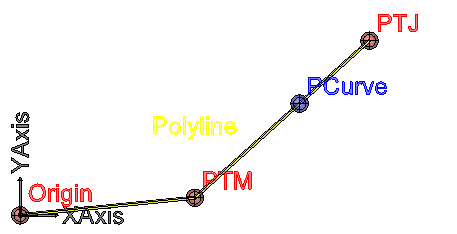
- Point - another point, not necessarily on the curve
The point closest to the curve will be calculated

- Value - a VB expression that provides value for calculating the point on the curve
If the text is too big/small, or the sphere representing the point is too big or small, use the buttons( A, a,  ,
,  ) at the top of the screen to change the preview