 SOLIDOS API SOLIDOS API
SOLIDOS has an API for Dynamo and Visual Lisp, which allows the creation of objects, as well as the manipulation of properties
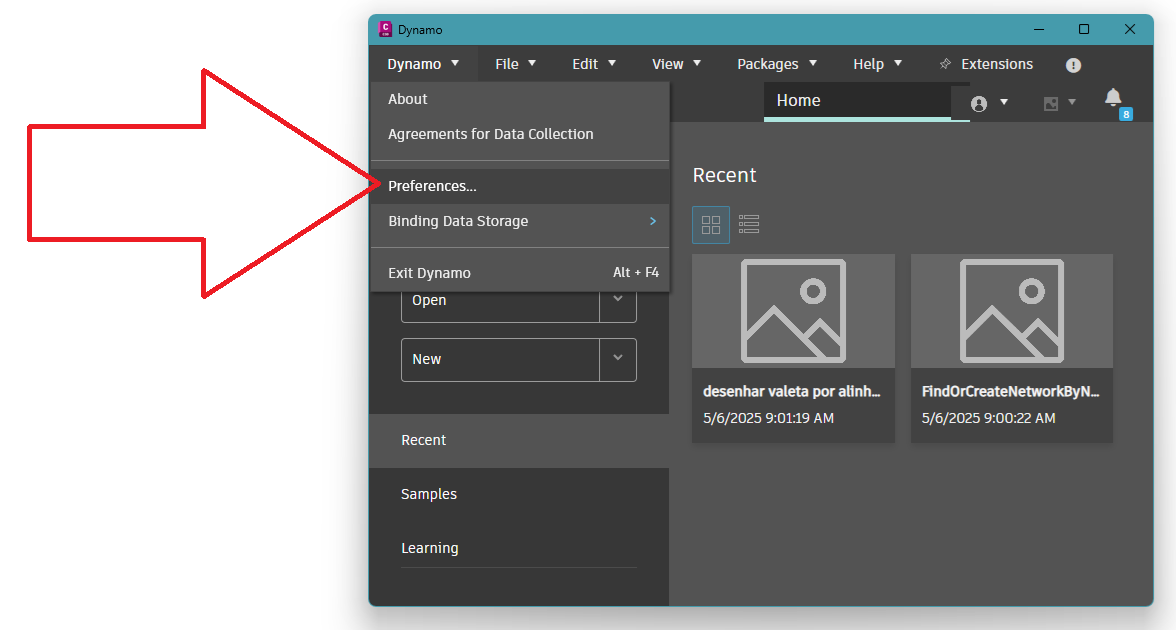
To use the API in Dynamo, you need to load it in the Dynamo editor. Access the Dynamo/Preferences menu:
In the screen that opens, click the Add Path button:
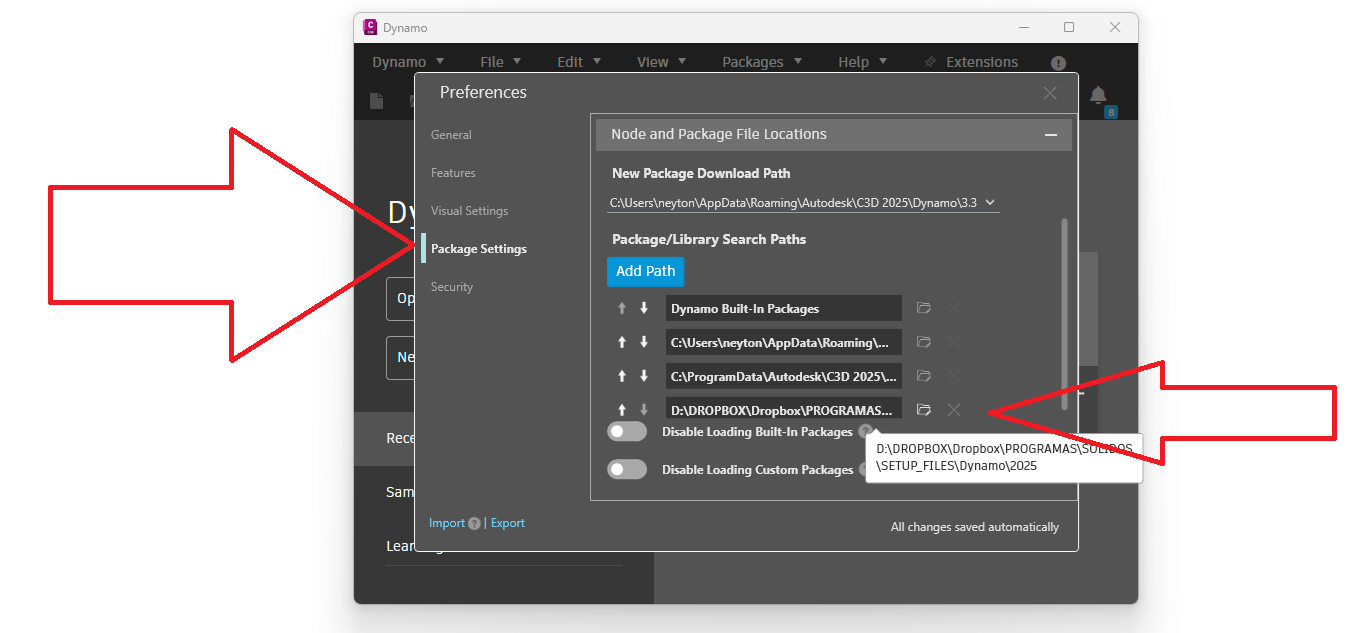
And locate the folder with the correct package for your version of Civil 3D:
| Civil 3D Version | DLL to Load |
|---|---|
| Civil 3D 2020 | SOLIDOS.bundle/Dynamo/2020/ |
| Civil 3D 2021 | SOLIDOS.bundle/Dynamo/2021/ |
| Civil 3D 2022 | |
| Civil 3D 2023 | |
| Civil 3D 2024 | |
| Civil 3D 2025 | SOLIDOS.bundle/Dynamo/2025/ |
| Civil 3D 2026 | |
| Civil 3D 2027 | |
In the example I am using Civil 3D 2025, so I choose the SOLIDOS.bundle/Dynamo/2025/ folder.
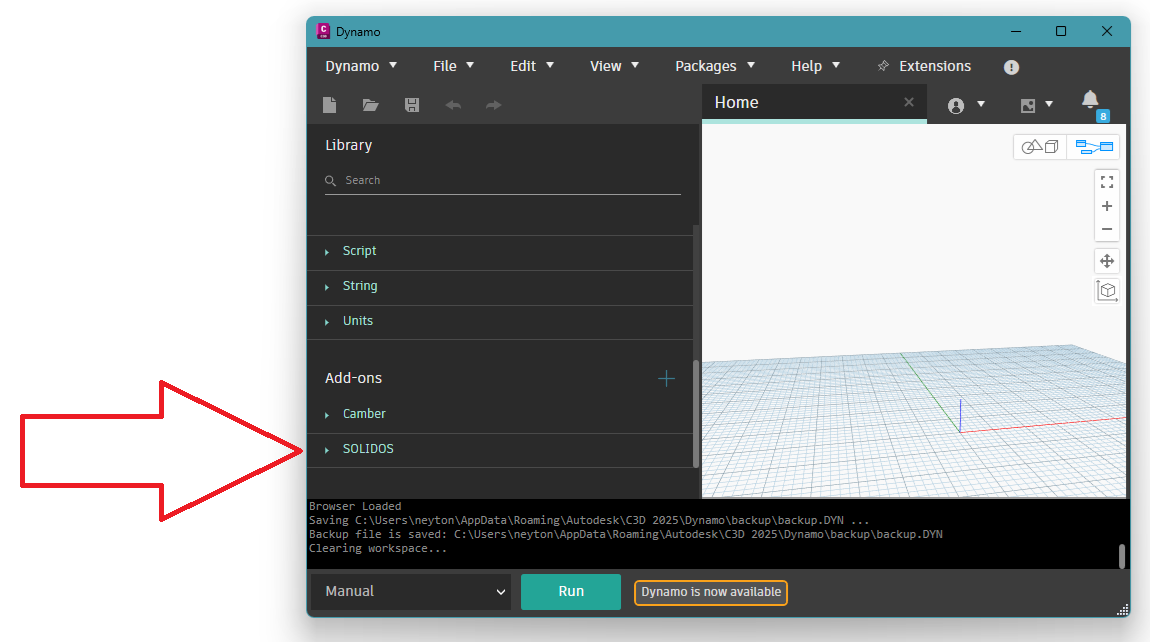
When you close these two screens and return to the Dynamo area, the following will be displayed in Add ons:
 Note: Use the SOLIDOSABOUT command to locate where you installed SOLIDOS. The plugin is normally installed in:
To better understand and use the SOLIDOS API functions, always consult the help documentation. Each class has a set of properties. They are described as follows:
Note that to access any given property, you must use the property's Name (Id, Name, Description...) as a string. The property type is also specified.
The API is divided into the following functions:
Tip: Load the plugin (<SOLIDOS installation folder>/Visual Lisp/SLIST.LSP) and use it as the AutoCAD LIST command to inspect information about the properties of the selected SOLIDOS item, such as: